Choosing the best laptop for video editing YouTubers is one of the most important decisions for anyone starting or growing a YouTube channel. Whether you create gaming videos, tech reviews, travel vlogs, educational tutorials, reaction videos or professional documentaries, the right laptop can help you edit smoothly, add effects, render videos faster and publish content more efficiently.
In 2026, Indian YouTubers have several options, ranging from budget-friendly laptops for basic Full HD editing to powerful creator laptops designed for complex 4K projects. However, not every expensive laptop is suitable for every creator. Your ideal laptop depends on your editing software, video resolution, budget and portability requirements.
For most serious YouTube creators, I recommend looking for a laptop with at least 16GB RAM, a fast 1TB SSD and a modern performance-oriented processor. If you regularly edit 4K footage, use advanced effects or work with DaVinci Resolve, consider 32GB RAM and a dedicated NVIDIA graphics card.
In this guide, we will compare the best laptops for video editing YouTubers in India, explain which specifications matter most, and help you choose the right machine for your content creation needs.
Best Laptop for Video Editing YouTubers: Quick Comparison
The following models are worth considering in different categories. Actual performance and value depend on the exact configuration, particularly the processor, GPU, RAM and display.
| Laptop | Best For | Recommended Configuration |
| Lenovo LOQ 15 | Windows video editing and gaming content | Core i7 or equivalent, 16–32GB RAM, RTX graphics |
| ASUS TUF Gaming F16 | Performance on a budget | Core 5 or better, 16–32GB RAM, dedicated RTX GPU |
| HP Victus 15/16 | Beginner and intermediate creators | Modern Ryzen 5/7 or Core i5/i7, 16GB RAM |
| Apple MacBook Air | Portable editing and everyday YouTube work | Apple silicon, 16GB or more unified memory |
| Apple MacBook Pro | Professional 4K editing | Pro-series Apple silicon, 24GB or more unified memory |
| ASUS ProArt series | Professional creative work | Powerful CPU, RTX graphics, colour-accurate display |
My overall recommendation: For creators who prefer Windows and need good editing performance, start by comparing the Lenovo LOQ and ASUS TUF configurations with dedicated NVIDIA graphics. If portability, battery life and quiet operation are more important, consider a MacBook. Check the exact model and price before purchasing.
1) Lenovo LOQ 15 — Best Windows Laptop for Video Editing
The Lenovo LOQ 15 is worth considering for YouTubers who want a laptop that can handle editing, gaming and everyday productivity.
Gaming laptops can be good video-editing machines because performance-oriented processors, dedicated graphics and cooling systems are useful for demanding creative workloads. However, the exact hardware configuration matters more than the model name alone.
Key specifications of Lenovo LOQ 15
- Processor: Intel Core i7/Core Ultra 7 or a comparable AMD Ryzen processor
- RAM: 16GB minimum; 32GB recommended for heavier projects
- Storage: 1TB NVMe SSD preferred
- Graphics: NVIDIA GeForce RTX 4050 or better, depending on budget
- Display: Full HD or higher, preferably with good colour coverage
- Operating system: Windows 11
Why should YouTubers consider the Lenovo LOQ?
A suitably configured LOQ can handle video timelines, effects, transitions and GPU-accelerated editing workloads. It is particularly attractive to creators who also record gaming footage or use graphics-intensive software.
For serious 4K editing, I would prioritise 32GB RAM and a stronger GPU over cosmetic features such as RGB lighting.
Best for: Gaming YouTubers, tech creators and Windows users who want a performance-oriented laptop.
2) ASUS TUF Gaming F16 — Best for Performance on a Budget
The ASUS TUF Gaming F16 is another option for creators who want dedicated graphics without moving immediately to a premium workstation.
Some configurations offer an NVIDIA RTX GPU, which can help with supported effects, accelerated exports and demanding editing software. The processor and GPU vary by model, so check the complete specification before buying.
Recommended specifications of ASUS TUF Gaming F16
- Intel Core 5/Core i5 or better, depending on the generation
- 16GB RAM minimum
- 1TB SSD preferred
- Dedicated NVIDIA RTX graphics
- Full HD or higher-resolution display
Advantages of ASUS TUF Gaming F16
- Suitable for gaming and video editing
- Dedicated GPU options
- Useful for creators who multitask between recording, editing and streaming
- Generally performance-focused hardware
Disadvantages of ASUS TUF Gaming F16
- Heavier than many thin-and-light laptops
- Battery life can be considerably shorter under demanding workloads
- Display colour accuracy varies between configurations
- Fans can become audible during long exports
Best for: Creators who want a Windows laptop for editing, gaming and streaming.
3) HP Victus 15 or 16 — Best for Beginner YouTubers
The HP Victus range is worth considering if you are starting a YouTube channel and need one machine for editing, office work, research and everyday use.
The range includes different processors, graphics options and screen configurations. A model with a dedicated RTX GPU is generally a better choice for demanding editing than a configuration relying solely on basic integrated graphics.
Recommended specifications of HP Victus
- Modern Intel Core i5/Core i7 or AMD Ryzen 5/Ryzen 7 processor
- 16GB RAM
- 1TB SSD
- Dedicated NVIDIA RTX graphics for effects-heavy editing
- Full HD IPS display or better
What can handle HP Victus?
A well-configured HP Victus can be suitable for:
- YouTube vlogs
- Tutorials and educational videos
- Product reviews
- Short-form videos and reels
- Basic to intermediate Full HD editing
- Selected 4K editing workflows
If you work mainly with simple 1080p footage, you may not need the most expensive configuration. If you regularly edit 4K video with multiple layers, effects and colour grading, consider 32GB RAM and a stronger GPU.
Best for: New YouTubers, students and creators looking for a versatile Windows laptop.
4) Apple MacBook Air — Best Portable Laptop for YouTubers
The Apple MacBook Air is a strong option for creators who travel frequently, record videos outside the home or want a portable editing machine.
Apple silicon offers hardware-accelerated media processing, while the lightweight design makes the laptop convenient for working in different locations. Actual editing performance depends on the chip, memory, software and project complexity.
Recommended specifications of Apple MacBook Air
- Apple silicon processor
- At least 16GB unified memory
- 512GB SSD minimum; 1TB preferred for regular video editing
- Retina or Liquid Retina display, depending on model
- Sufficient external storage for large video libraries
Advantages of Apple MacBook Air
- Lightweight and portable
- Good battery efficiency for everyday creative work
- Well suited to Final Cut Pro
- Supports other popular editing applications, including Adobe Premiere Pro and DaVinci Resolve, subject to software and hardware requirements
Disadvantages of Apple MacBook Air
- Memory and storage upgrades can be expensive
- Many models have limited upgradeability after purchase
- Sustained, demanding workloads can be less suitable than on a well-cooled workstation
- Some Windows-only software and workflows may not be available natively
Best for: Travel vloggers, lifestyle YouTubers and creators who prioritise portability.
5) Apple MacBook Pro — Best for Professional 4K Video Editing
If video creation is your full-time profession, a MacBook Pro with Pro-series Apple silicon is worth considering.
Compared with entry-level laptops, suitable MacBook Pro configurations offer stronger sustained performance, more memory options and advanced media-processing capabilities.
Recommended specifications of Apple MacBook Pro
- Apple M-series Pro or higher-tier chip
- 24GB unified memory or more
- 1TB SSD or larger
- High-quality Liquid Retina XDR display on supported models
- Fast external SSD for footage and project backups
Why choose a Apple MacBook Pro?
A suitably configured MacBook Pro can be excellent for creators working with:
- 4K YouTube videos
- Multi-camera footage
- Professional colour grading
- Long-form documentaries
- Motion graphics and effects
- Frequent video exports
However, a MacBook Pro is not automatically the best value for everyone. A Windows laptop with a capable NVIDIA GPU may offer better flexibility for certain GPU-heavy workflows at a lower purchase price.
Best for: Professional YouTubers, filmmakers and editors with demanding projects.
6) ASUS ProArt Series — Best for Creative Professionals
The ASUS ProArt family is designed for creative professionals who need a combination of processing power, graphics performance and display quality.
Depending on the model, ProArt laptops can offer powerful NVIDIA RTX graphics, high-resolution OLED displays and configurations designed for creative software.
Recommended specifications of ASUS ProArt
- High-performance Intel Core Ultra or AMD Ryzen processor
- 32GB RAM or more for demanding projects
- 1TB or 2TB SSD
- Dedicated NVIDIA RTX graphics
- High-resolution display with good colour accuracy
Why consider ASUS ProArt?
Display quality matters when editing footage intended for YouTube. A laptop with good colour coverage and accurate colour reproduction helps creators judge saturation, contrast and skin tones more reliably.
ProArt models can be expensive, so compare them against gaming laptops with similar hardware before spending more purely for a creator-oriented design.
Best for: Professional editors, colour-focused creators and people who use demanding creative applications.
Which Laptop Is Best for Different YouTube Editing Tasks?
| Your Content Type | Recommended Laptop Class | Suggested RAM |
| Simple talking-head videos | Modern mid-range laptop | 16GB |
| Educational tutorials | Mid-range laptop with a fast SSD | 16GB |
| Travel and lifestyle vlogs | MacBook Air or capable Windows laptop | 16–24GB |
| Gaming videos | Laptop with dedicated RTX graphics | 16–32GB |
| 4K cinematic videos | High-performance creator laptop | 32GB |
| Heavy colour grading and effects | Powerful GPU-equipped workstation | 32–64GB |
| Professional multi-camera projects | MacBook Pro or high-end Windows laptop | 32GB or more |
These are practical starting points rather than absolute requirements. Codec, resolution, effects, editing software and project complexity all influence performance.
Best Laptop Specifications for Video Editing YouTubers
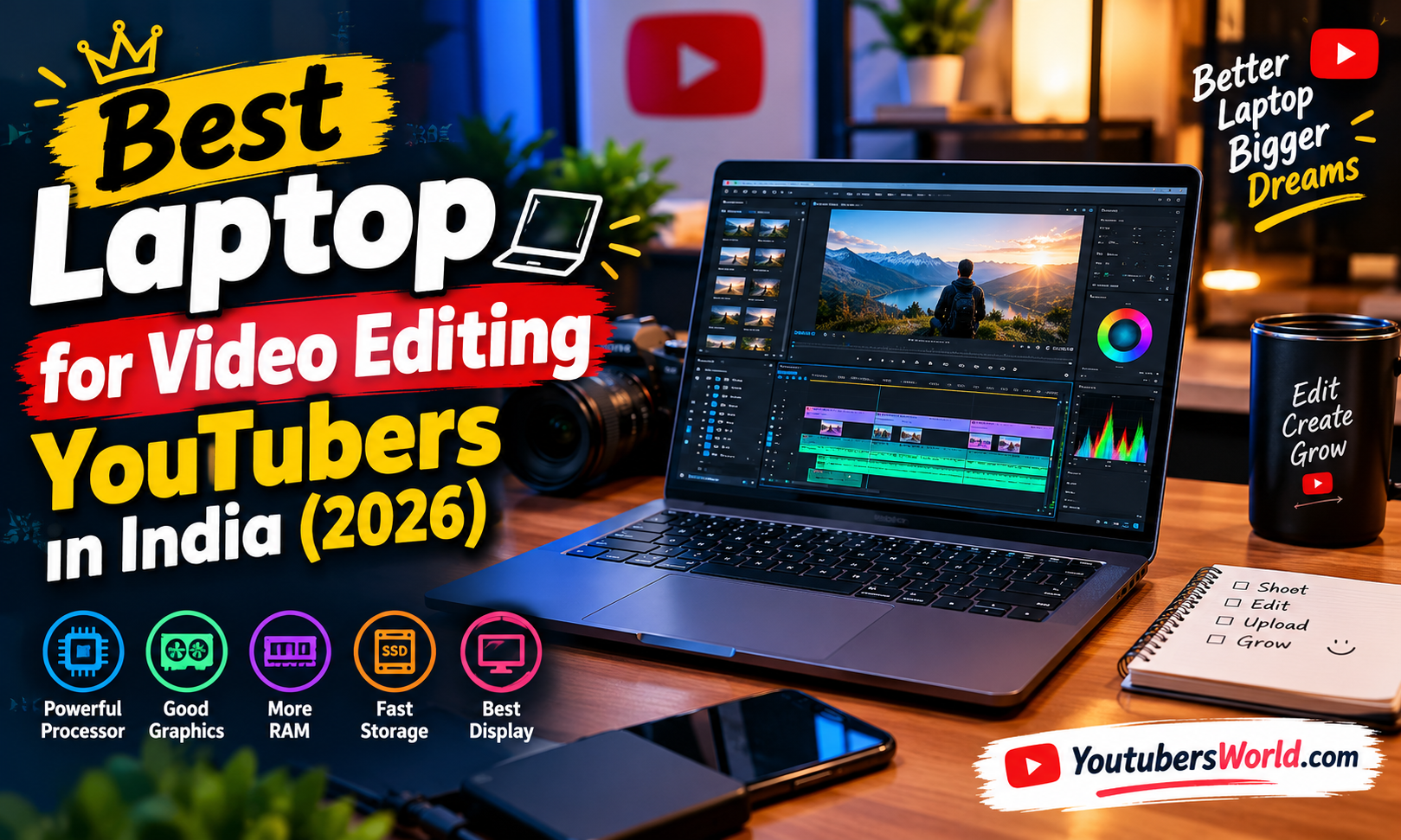
Before buying any laptop, understand the five specifications that make the biggest difference to your editing workflow.
- Processor (CPU)
The CPU affects responsiveness, media processing and many editing operations.
Look for a modern performance-oriented processor rather than relying only on a Core i5, Core i7 or Ryzen 7 label. Processor generation, power limits and the exact model matter.
For regular Full HD editing, a good modern mid-range processor can be sufficient. For complex 4K projects, multicam editing and frequent exports, choose a higher-performance processor.
- RAM: 16GB or 32GB?
RAM allows your editing software to work with footage, effects and other applications.
- 8GB RAM: Suitable only for light workloads; not recommended for a new serious editing laptop.
- 16GB RAM: A sensible starting point for Full HD editing and moderate projects.
- 32GB RAM: Recommended for frequent 4K editing, heavier effects and multitasking.
- 64GB RAM: Useful for demanding professional workflows, large projects and complex visual effects.
If your budget permits, 32GB RAM is a strong target for a laptop intended to last several years.
On many MacBooks, memory is unified and cannot be upgraded after purchase. On Windows laptops, RAM may be upgradeable, but this varies by model.
- Graphics Card (GPU)
The GPU can accelerate supported video effects, colour processing and exports.
For basic Full HD editing, integrated graphics may be sufficient. For demanding DaVinci Resolve projects, effects-heavy timelines and some AI-powered tools, a dedicated NVIDIA RTX GPU can be valuable.
Look for:
- NVIDIA RTX 4050 or better for capable entry-level dedicated graphics
- Higher-tier RTX GPUs for more demanding projects
- Adequate GPU memory for your software and footage
- Effective cooling that allows sustained performance
A dedicated GPU is not a universal requirement for all editing software. Apple silicon and some modern integrated GPUs can also deliver good results for suitable workflows.
- Storage: 512GB or 1TB SSD?
Video files occupy considerable storage space, especially when recording 4K footage.
A fast NVMe SSD helps with application loading, project access and file transfers. It does not automatically make every export faster, but slow storage can become a bottleneck.
My recommendation:
- 512GB SSD: Acceptable for beginners who use external storage.
- 1TB SSD: A better starting point for regular YouTube creators.
- 2TB SSD: Useful for large libraries, frequent 4K recording and multiple ongoing projects.
An external SSD is also useful for keeping raw footage, finished videos and backups separate from the laptop’s operating system.
- Display Quality
A good display helps you see detail, assess colours and work comfortably.
Look for a Full HD or higher-resolution IPS or OLED panel with good colour coverage. For professional colour grading, investigate measured colour accuracy and coverage of the relevant colour spaces rather than assuming every OLED screen is professionally accurate.
A larger 15- or 16-inch screen is useful for timelines, while a 14-inch laptop can be more convenient for travel.
Which Video Editing Software Should You Use?
Your preferred software can affect which laptop makes the most sense.
| Editing Software | Best For | Laptop Considerations |
| Adobe Premiere Pro | YouTube videos, tutorials and professional editing | Strong CPU, sufficient RAM and supported GPU acceleration |
| DaVinci Resolve | Editing, colour grading and visual effects | GPU performance and memory are especially important for demanding projects |
| Final Cut Pro | Mac-based video editing | Compatible Mac hardware and sufficient unified memory |
| CapCut Desktop | Shorts, reels and straightforward YouTube editing | A modern CPU, adequate RAM and SSD |
| Filmora | Beginner-friendly editing | Mid-range hardware for ordinary projects; stronger hardware for complex effects |
Always check the software’s current system requirements before buying. Features and hardware acceleration can vary by software version, operating system and media format.
How Much Should You Spend on a Video Editing Laptop in India?
The right budget depends on whether you are just starting out or editing professionally.
| Budget | What to Look For | Suitable Workload |
| Under ₹50,000 | Modern CPU, 16GB RAM where possible, SSD | Basic editing, simple 1080p videos |
| ₹50,000–₹75,000 | Stronger CPU, 16GB RAM, upgrade options | Regular Full HD editing |
| ₹75,000–₹1,10,000 | Dedicated RTX graphics, 16–32GB RAM | Gaming videos and more demanding editing |
| ₹1,10,000–₹1,60,000 | Strong GPU, 32GB RAM where possible, good display | Regular 4K editing and advanced effects |
| Above ₹1,60,000 | Premium MacBook Pro or high-end creator laptop | Professional production and demanding workflows |
These are planning ranges, not guaranteed October 2026 retail prices. Discounts, exact configurations and availability can change the final cost considerably.
Before purchasing, compare the exact model number, graphics card, RAM, storage, display and warranty. A laptop advertised with a powerful processor may still be unsuitable if it has insufficient RAM or weak integrated graphics for your workload.
Tips to Make Video Editing Faster on Your Laptop
Buying a powerful laptop is only part of the solution. These practices can also improve your editing workflow.
- Use proxy files: Proxies make high-resolution footage easier to edit on less powerful hardware.
- Keep enough free SSD space: Avoid filling the internal drive completely.
- Use an external SSD: Store raw footage and completed projects on fast external storage.
- Update your editing software: Install compatible updates and graphics drivers.
- Manage cooling: Use the laptop on a hard, ventilated surface during long exports.
- Close unnecessary applications: Reduce memory pressure while editing.
- Back up your projects: Keep a separate copy of important footage and finished videos.
Frequently Asked Questions
Which is the best laptop for video editing YouTubers in India?
For Windows users, the Lenovo LOQ and ASUS TUF ranges are worth comparing in configurations with dedicated NVIDIA RTX graphics. For portable editing, consider a MacBook Air. For demanding professional workflows, compare the MacBook Pro and ASUS ProArt series.
The best choice depends on your budget and exact configuration.
Is 16GB RAM enough for YouTube video editing?
Yes, 16GB RAM can be enough for many Full HD projects and moderate editing tasks. For frequent 4K editing, heavy effects and multitasking, 32GB RAM is a better target.
Is a graphics card necessary for video editing?
Not always. Integrated graphics can handle basic editing, and some Mac systems perform well without a separate graphics card. A dedicated GPU becomes more valuable for supported effects, advanced colour grading and demanding workloads.
Is a gaming laptop good for YouTubers?
Yes. A gaming laptop with a strong processor, dedicated graphics and effective cooling can be excellent for video editing. However, check its weight, fan noise, battery life and screen quality before buying.
Which laptop is best for 4K video editing?
A laptop with a powerful processor, 32GB RAM, a fast SSD and capable graphics is a sensible starting point for demanding 4K work. A suitably configured MacBook Pro or Windows creator laptop can be appropriate.
Is a MacBook better than a Windows laptop for video editing?
Neither platform is universally better. MacBooks offer strong media performance and portability in suitable configurations. Windows laptops provide a wider range of hardware and dedicated GPU options. Your editing software and budget should guide the decision.
How much SSD storage does a YouTuber need?
A 1TB SSD is a good starting point for regular content creation. Creators recording large amounts of 4K footage may benefit from 2TB internal storage or a fast external SSD.
Can I edit YouTube videos on a laptop under ₹50,000?
Yes, particularly simple Full HD videos. Prioritise a modern processor, adequate RAM and an SSD. You may need proxy files or lower-resolution previews for demanding footage and effects.
Final Word: Which Laptop Should You Buy?
If you are choosing the best laptop for video editing YouTubers, do not buy a laptop based only on its brand or processor name.
For most Windows-based creators, start with a Lenovo LOQ or ASUS TUF configuration that has a capable dedicated RTX GPU, 16GB RAM or more and an SSD. Choose 32GB RAM if you regularly work with 4K footage or complex effects.
If you prioritise portability and battery efficiency, a MacBook Air can be a good fit. If video editing is your profession and you regularly work on demanding projects, consider a MacBook Pro or ASUS ProArt laptop.
My practical recommendation: For a new YouTuber, aim for 16GB RAM, a modern processor and a 1TB SSD. For a serious long-term editing setup, target 32GB RAM and dedicated graphics where your software benefits from it.
The right laptop should let you create videos comfortably today while leaving enough performance and storage for your channel to grow.