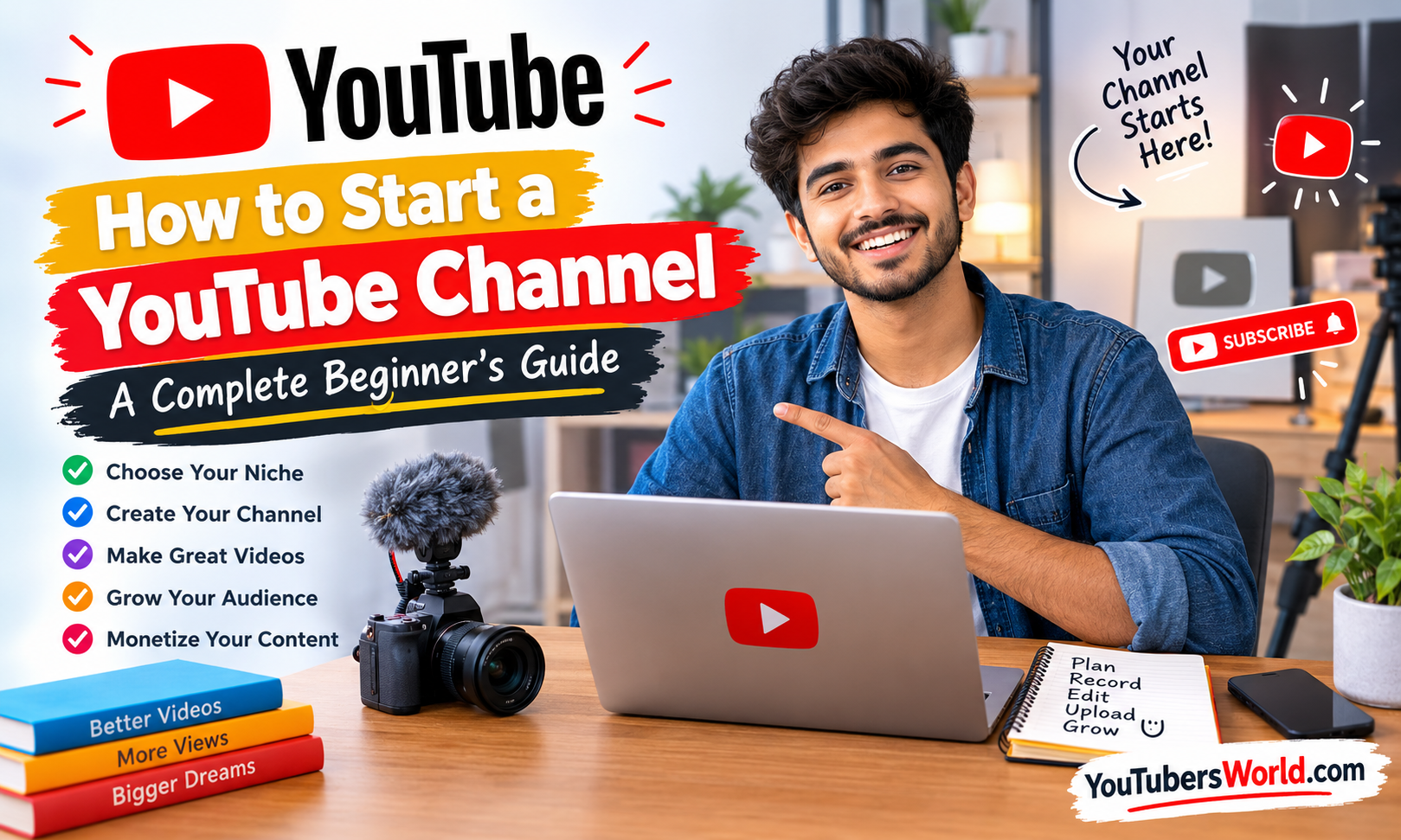
Starting a YouTube channel can be an exciting way to share your knowledge, express your creativity, build an audience, and potentially earn money online. But if you are a beginner, you may have questions about choosing a topic, setting up your channel, recording videos, and getting your first viewers.
The good news is that you do not need an expensive camera, a professional studio, or years of experience to get started. You can begin with a smartphone, a clear idea, and a willingness to learn.
In this guide, you will learn how to start a YouTube channel, prepare your first video, optimize your content, and build a realistic plan for long-term growth.
What Do You Need to Start a YouTube Channel?
Before creating your channel, prepare a few basic things:
- A Google Account to access YouTube.
- A topic you enjoy or understand.
- A smartphone or camera for recording videos.
- A quiet place with reasonable lighting.
- Basic video editing software.
- An internet connection for uploading videos.
- A realistic plan for publishing content consistently.
You can start with free or inexpensive tools. Your first goal should be to create useful videos and understand your audience rather than spend money on equipment you may not need.
Choose a YouTube Niche That Suits You
Your niche is the main subject your channel covers. Choosing a clear topic helps viewers understand what your channel offers and gives you a direction for future videos.
Popular niche ideas include:
- Technology and gadget reviews
- Education and tutorials
- Gaming and entertainment
- Cooking and recipes
- Travel and lifestyle
- Fitness and sports
- Personal finance
- Beauty and fashion
- YouTube tips and creator education
You do not have to choose a topic simply because it is popular. A niche is more suitable when it combines your interests, your knowledge, and what viewers want to learn or watch.
For example, instead of creating a channel about every type of technology, you could focus on smartphone reviews and practical tutorials for beginners.
How to Choose the Right Topic
Ask yourself three questions:
- Can I create videos about this topic for at least several months?
- Do people search for or watch content about it?
- Can I offer something useful, entertaining, or different?
Research existing YouTube videos in your chosen niche. Look at the questions viewers ask in the comments, the subjects creators cover, and the areas where existing videos could be more helpful.
You do not need a completely new topic. You need a useful approach that gives viewers a reason to watch your videos.
Create Your YouTube Channel
Once you have chosen your topic, you can create your channel.
According to YouTube’s official instructions, you can create a channel by signing in to YouTube, opening the account settings, selecting the option to add or manage channels, and choosing to create a channel.
You will be asked to provide details such as your channel name, profile picture, and handle.
Follow the current instructions in the official YouTube channel creation guide.
Choose a Memorable Channel Name
Your channel name should be easy to pronounce, remember, and spell. It should also suit the type of content you plan to publish.
For a personal channel, your own name may be a good choice. For a topic-focused channel, a short and relevant brand name may work better.
Before finalizing the name, check whether it is already being used by another creator or brand. Avoid names that imitate established channels or could confuse viewers.
Select Your YouTube Handle
A YouTube handle is your unique identifier on the platform. It helps people find and mention your channel.
Choose a handle that closely matches your channel name when possible. Keeping your branding consistent across your channel and other social media profiles can also make it easier for people to recognize you.
Customize Your Channel for a Professional First Impression
Your channel page should quickly communicate what you publish and who your content is for.
You can manage your channel’s appearance and basic information through YouTube Studio.
Add a Profile Picture and Banner
Choose a clear profile picture that remains recognizable at a small size. Depending on your channel, this could be a professional photo, logo, or simple graphic.
Your banner should communicate your channel’s identity. Avoid filling it with too much text or too many design elements.
Use YouTube’s current image specifications when preparing your graphics so they display correctly on different devices.
Write a Clear Channel Description
Your channel description should explain:
- What your channel covers.
- Who can benefit from your videos.
- What viewers can expect to learn or enjoy.
- How often you generally plan to publish, if you have a realistic schedule.
Include relevant topic words naturally, but do not fill the description with repeated keywords.
For example, a channel about smartphone tutorials could explain that it publishes practical guides to phone settings, useful apps, troubleshooting, and technology tips for beginners.
You can find further instructions in YouTube’s official channel customization guide.
Plan Your First Few Videos
Before recording your first video, brainstorm several ideas related to your niche. This helps you avoid creating a channel and then running out of subjects to cover.
Start with specific questions that your target audience wants answered.
For example, a beginner technology channel could publish videos about:
- How to free up storage on an Android phone
- How to transfer photos between devices
- How to choose a smartphone for everyday use
- Common smartphone problems and their solutions
These topics have a clear purpose and give viewers a reason to click.
Research Video Ideas
Use YouTube search suggestions, comments on related videos, discussions in your niche, and relevant search results to discover what people want to know.
You can also use YouTube Studio’s research and analytics features when available to understand your audience’s interests.
Choose ideas that you can explain accurately and demonstrate clearly. Avoid copying another creator’s script or simply reproducing an existing video.
Create a Simple Content Plan
Plan your first five to ten videos around a consistent subject. You can explore different formats, such as tutorials, reviews, comparisons, demonstrations, or personal experiences.
A content plan does not have to be complicated. A spreadsheet containing your video idea, target audience, main question, and planned publishing date is enough to get started.
Record Your First YouTube Video
Your first video does not have to be perfect. Focus on delivering clear audio, understandable visuals, and information that fulfills the viewer’s expectations.
Use the Equipment You Already Have
A smartphone can be sufficient for recording your first videos. Place it on a stable surface or tripod, clean the camera lens, and record in a resolution suitable for your content.
Good lighting and clear audio often make a more noticeable difference to the viewing experience than buying an expensive camera immediately.
If you decide to upgrade later, research equipment that solves a specific problem in your current setup.
Improve Your Lighting and Audio
Record in a quiet place and try to position yourself near a window or another soft light source. Avoid strong light directly behind you, which can make your face appear dark.
Speak clearly and keep your microphone close enough to capture your voice without unnecessary background noise.
If you create screen recordings, make sure text is readable and demonstrate each action at a comfortable pace.
Prepare a Simple Video Outline
Before recording, write down the main points you want to cover.
A useful structure is:
- Opening: Explain what the viewer will learn.
- Main content: Demonstrate or explain the important information.
- Conclusion: Summarize the key takeaway and suggest a relevant next video.
Get to the main topic quickly. Long introductions and unnecessary background information can make viewers leave before reaching the useful part.
Edit Your Video Before Uploading
Editing helps remove mistakes, improve pacing, and make your video easier to understand.
You can begin with free or low-cost editing software. Choose a tool that matches your device and skill level rather than trying to learn several complicated programs at once.
During editing:
- Remove unnecessary pauses and repeated explanations.
- Make speech clear and keep the volume consistent.
- Add text or labels when they help explain something.
- Use transitions and effects only when they serve a purpose.
- Check that any music or other material is properly licensed for your intended use.
Do not make editing more complicated than the content requires. A straightforward tutorial with clear explanations can be more useful than a heavily edited video that distracts from its message.
Upload Your Video to YouTube
When your video is ready, upload it through YouTube Studio.
The general process is to sign in to YouTube Studio, select the Create option, choose Upload videos, and select your video file. You can then add the necessary details before publishing.
Because the interface may change, follow YouTube’s current video upload instructions.
Write a Clear Video Title
Your title should tell viewers what the video offers. Include your main search phrase when it fits naturally, and make sure the wording accurately represents the content.
For example, a video demonstrating a specific phone setting could use a title such as “How to Change Privacy Settings on Android.”
Avoid misleading claims, excessive capitalization, or promising results that the video cannot deliver.
Create a Helpful Thumbnail
A thumbnail helps viewers decide whether to watch your video. Use a clear image, good contrast, and a simple visual idea that communicates the subject.
Keep text short enough to read on a mobile screen. Your thumbnail and title should complement each other rather than repeat the exact same message.
Never use a misleading thumbnail simply to attract clicks. If viewers feel deceived, they may leave quickly and become less likely to trust your future content.
Write a Useful Video Description
The description should explain what viewers will learn, demonstrate, or experience.
Place the most important information near the beginning. Add relevant details, useful resource links, and chapter timestamps when appropriate.
Use keywords naturally, but do not repeat the same phrase unnecessarily. Your description should help viewers understand the video, not read like a list of search terms.
Add Relevant Video Details
Before publishing, review the video’s audience setting, language, captions, playlist, and other relevant options.
Set the audience accurately, including whether the content is made for kids. Do not select an audience setting simply because you believe it will improve reach or monetization.
You can also use end screens, cards, and playlists where appropriate to help viewers discover related content.
Understand YouTube SEO
YouTube SEO involves making your videos easier for the right audience to discover. However, using keywords alone does not guarantee that a video will rank highly.
Focus on matching the viewer’s intent and delivering what your title and thumbnail promise.
Use Keywords Naturally
Before making a video, identify the main question it answers. Consider the phrases a viewer might use to find that information.
Use the main phrase naturally in your title and description where relevant. Include related terminology when it helps explain the topic.
For example, a video about improving smartphone battery life may naturally cover battery settings, background apps, screen brightness, and charging habits.
Avoid keyword stuffing. Repeating the same phrase excessively can make your content look unnatural without making it more useful.
Focus on Viewer Satisfaction
Help viewers get the answer they came for. Start with a clear introduction, organize the information logically, and remove unnecessary filler.
YouTube Analytics can help you examine impressions, click-through rate, watch time, audience retention, and other available performance metrics.
Use these measurements to identify opportunities for improvement. For example, if viewers leave during a long introduction, try getting to the main point sooner in your next video.
How to Grow Your YouTube Channel
Growing a channel takes time. Some videos may receive very few views at first, and a new creator should not expect every upload to perform well.
Instead of chasing every trend, build a repeatable process for creating content that your intended audience wants.
Publish Consistently
Choose a publishing schedule you can maintain alongside your other responsibilities. One useful video each week may be more realistic than promising daily uploads and struggling to keep up.
Consistency should mean delivering a dependable viewing experience, not publishing videos simply to meet a quota.
Learn From Your Analytics
Review your videos after they have had time to collect data. Look for patterns in the topics that attract viewers, the thumbnails that earn clicks, and the moments where people stop watching.
Use these findings to improve future videos rather than judging your entire channel by one upload.
Engage With Your Viewers
Respond to genuine questions and constructive comments when possible. Viewer questions can also inspire future video ideas.
Build a community around helpful content and honest communication. Avoid buying subscribers, views, or engagement, as artificial activity does not build a reliable audience and may violate platform policies.
Experiment with Shorts and Longer Videos
YouTube supports different formats, including Shorts and longer videos. Choose a format based on your topic and your audience’s needs.
Shorts can be useful for quick demonstrations, brief tips, or concise entertainment. Longer videos may be better for detailed tutorials, reviews, and complex explanations.
You do not need to use every format. Start with the one you can produce well and experiment with others when they serve your channel’s goals.
How Much Does It Cost to Start a YouTube Channel?
You can start a YouTube channel with little or no additional equipment cost if you already have a smartphone and internet access.
Your initial expenses may include:
- A tripod or phone stand.
- An external microphone.
- Additional lighting.
- Video editing software.
- Design tools or storage.
These purchases are optional at the beginning. Start with what you own and upgrade only when you can identify a clear improvement that the new equipment would provide.
If equipment is your main concern, research individual products based on your budget and recording needs rather than buying a complete studio setup immediately.
How Do You Make Money on YouTube?
YouTube offers several potential ways for eligible creators to earn money. These can include advertising revenue, channel memberships, eligible fan-funding features, and other monetization options. Creators may also earn through sponsorships, affiliate marketing, or their own products and services when appropriate.
However, creating a channel does not automatically make it eligible for monetization.
Understand YouTube Partner Program Eligibility
YouTube has different eligibility requirements for different monetization features. For full advertising revenue sharing, the commonly published threshold is 1,000 subscribers and either 4,000 valid public watch hours from long-form videos during the previous 12 months or 10 million valid public Shorts views during the previous 90 days.
Meeting these numerical thresholds does not guarantee acceptance. Your channel must also satisfy the applicable policies and undergo YouTube’s review process. Some features have lower entry thresholds but additional requirements.
Requirements and program details can change, so check the official YouTube Partner Program eligibility page and the Earn section of YouTube Studio for the latest rules that apply to your channel.
Follow Copyright and Monetization Policies
Create original videos or use material that you have permission to use. Copyrighted music, footage, images, or other content can lead to claims, restrictions, or other consequences.
Adding commentary to someone else’s content does not automatically make it eligible for monetization. YouTube’s reused-content and other monetization policies may apply even when copyright permission is not the main issue.
Review the relevant policies before building your channel around third-party material. Developing your own voice and providing original value is a better long-term strategy.
Common Mistakes New YouTubers Should Avoid
New creators often make a few avoidable mistakes that slow their progress.
Buying expensive equipment too early: Learn what you actually need before making large purchases.
Choosing topics without a clear audience: A channel becomes easier to develop when its videos serve a recognizable group of viewers.
Copying other creators: Study successful videos to understand their structure, but develop your own scripts, examples, and presentation.
Ignoring audio quality: Background noise and unclear speech can make otherwise useful videos difficult to watch.
Using misleading titles and thumbnails: Attracting a click is not enough if the video fails to deliver what viewers expected.
Expecting immediate income: Building an audience and meeting monetization requirements can take considerable time, and earnings are not guaranteed.
Giving up after a few uploads: Review what you have learned from each video and make practical improvements rather than expecting instant results.
A Simple Plan for Your First Month
You do not need an elaborate business plan to begin. Use your first month to establish a routine and learn the basics.
During the first week, choose your niche, identify your target audience, create your channel, and complete the basic customization.
During the second week, research video ideas, outline your first few scripts, and record your first video.
During the third week, edit and publish your video. Prepare a clear title, thumbnail, and description, and check the final upload before sharing it.
During the fourth week, publish another video if your schedule allows. Review the feedback and available analytics, then identify one or two things to improve.
Treat this as a flexible starting plan rather than a deadline. The aim is to build a process you can sustain.
Frequently Asked Questions
Can I start a YouTube channel with my phone?
Yes. A smartphone can be enough to record, edit, and upload your first videos. Pay attention to lighting, audio, and the usefulness of your content before investing in more expensive equipment.
Is it free to create a YouTube channel?
Creating a standard YouTube channel does not require a channel creation fee. However, you may have costs for internet access, equipment, software, or other optional services.
How many videos should I upload each week?
There is no universal number that guarantees growth. Choose a schedule you can maintain while producing videos that meet your quality standards and audience needs.
How long does it take to grow a YouTube channel?
There is no fixed timeline. Growth depends on factors such as your topic, audience demand, video quality, competition, and how effectively your content reaches the right viewers.
Focus on improving your videos and learning from audience behavior rather than comparing your progress with another creator’s results.
Can I monetize my YouTube channel without showing my face?
Yes. Some channels use screen recordings, demonstrations, animations, narrated tutorials, or other formats that do not require the creator to appear on camera.
You must still follow YouTube’s applicable copyright and monetization policies. Simply using automated narration or third-party footage does not guarantee eligibility.
Do I need to upload Shorts to grow my channel?
No. Shorts are one available format, not a requirement for every creator. Choose Shorts, longer videos, or a combination based on what works for your topic and audience.
Final Thoughts
Starting a YouTube channel is a learning process. You do not need to have everything figured out before publishing your first video.
Choose a topic you can develop over time, create your channel, record with the equipment you already have, and focus on helping or entertaining a specific audience. As you publish more videos, use viewer feedback and analytics to understand what works and what needs improvement.
The most useful first step is simple: choose one video idea, prepare it carefully, and publish it. You can improve your skills, equipment, and strategy as you gain experience.